Send the invoice. Track the payment.
Create quotations and invoices, record payments and see what your customers still owe.
- Quotations and invoices
- Customer balances and statements

Accounting for Botswana businesses
Bring your invoices, expenses and books together. Make your next business decision with a clearer picture.
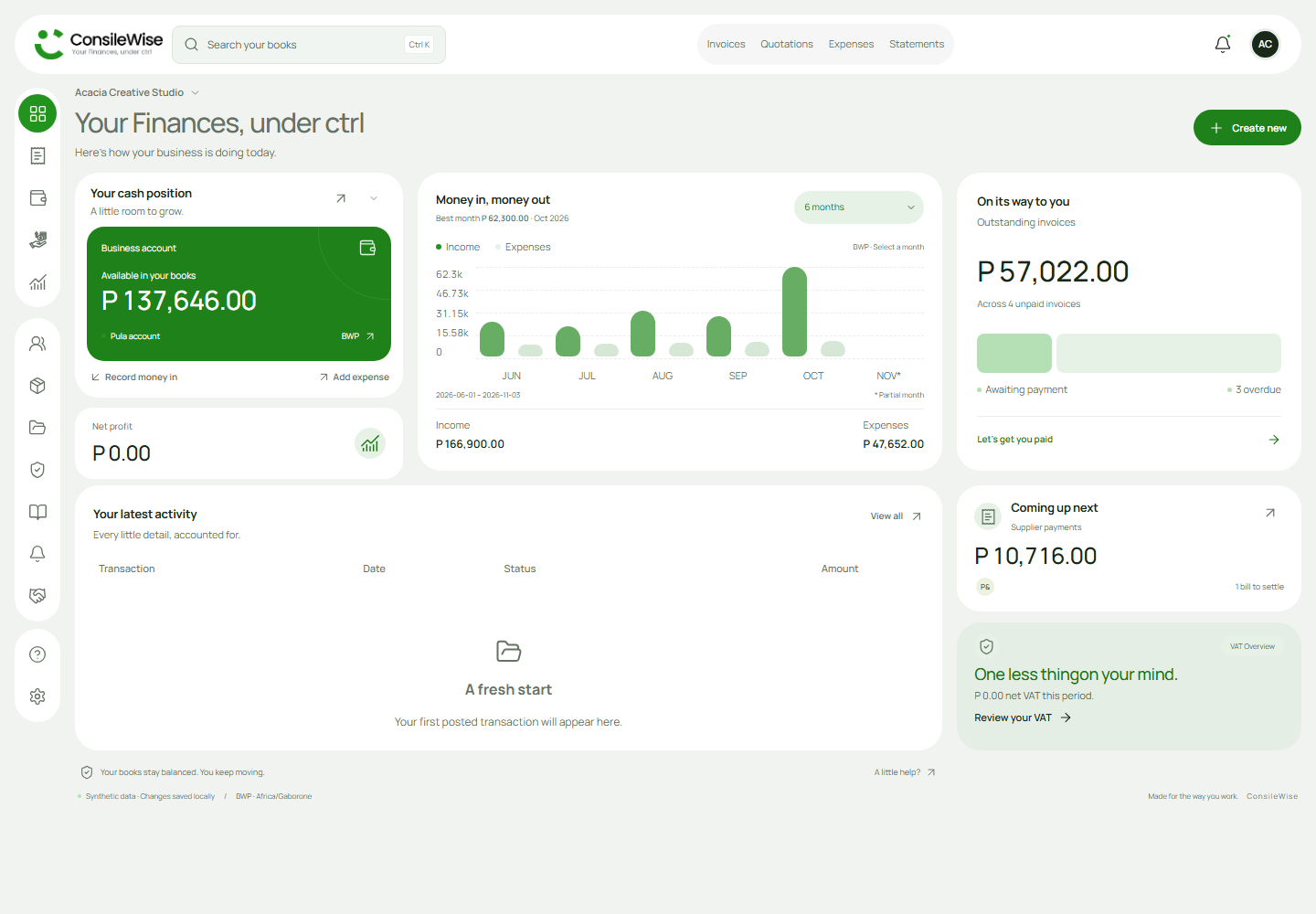
Less scattered. More connected.
Keep the everyday details connected to the numbers that help you run your business.
Create quotations and invoices, record payments and see what your customers still owe.
Keep supplier bills, paid expenses and supporting receipts together in your books.
Move from daily activity to financial reports, with BWP amounts and VAT tools in the same workspace.
At your desk. On the move.
Use ConsileWise in your browser on a laptop or phone. Add it to your home screen on supported devices for quicker access.
See installation optionsA little more clarity.
Wherever work happens.
Manage customers, quotations, invoices, supplier bills, paid expenses and financial reports. Your dashboard brings cash, income, expenses and outstanding balances together.
ConsileWise supports BWP amounts and includes VAT settings, summaries and reporting periods. You control your business details and document branding.
You can continue in your browser. Installation guidance is available for supported browsers and devices if you prefer a home-screen or desktop shortcut.
Yes. You can configure your business details, logo and document colours in Settings, and preview your sales documents before sending them.